talkaCheckIn · self check-in for clinics
Meet patients at the door, not the desk
Self check-in on your clinic’s own iPad. Patients find their booking with their Medicare number, or their mobile and date of birth, confirm it’s them, and are marked arrived in your clinic software. You choose the steps in the portal. Shorter queues, a lighter front desk.
Your own iPad · steps you choose · multilingual · your clinic software
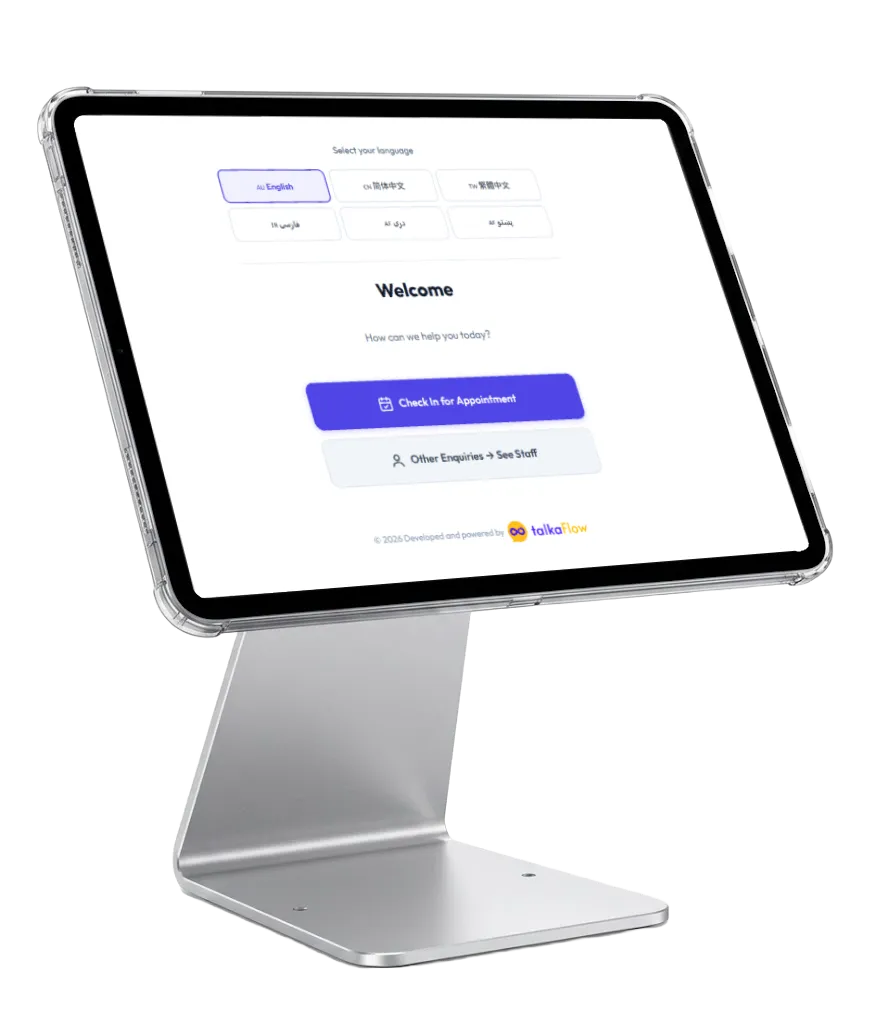
See it in action
A check-in, start to finish
The patient does it all on the screen, and reception only handles the exceptions.
Check in for my appointment
Tap to begin
Your mobile and date of birth
Is this you?
You’re checked in!
- Doctor
- Dr Nguyen
- Time
- 10:15 am
- Room
- Room 4
Marked arrived in Best Practice
How it works
A few taps, and they’re checked in
Patients check in in their own language; reception handles the exceptions, not every arrival.
- 1
Pick a language, tap Check in
The patient chooses their language and taps “Check in for appointment”. By default, the first question asks whether it’s an emergency.
- 2
Find their booking
They enter their Medicare number, their mobile number and date of birth, or their surname and date of birth: whichever you switch on.
- 3
Confirm it’s them
The screen shows an initial and surname, never a full name, and the patient confirms it’s them.
- 4
Checked in
The appointment time is checked, they’re marked arrived in your clinic software, and the screen shows their doctor, time and room.
One clinic’s flow, end to end
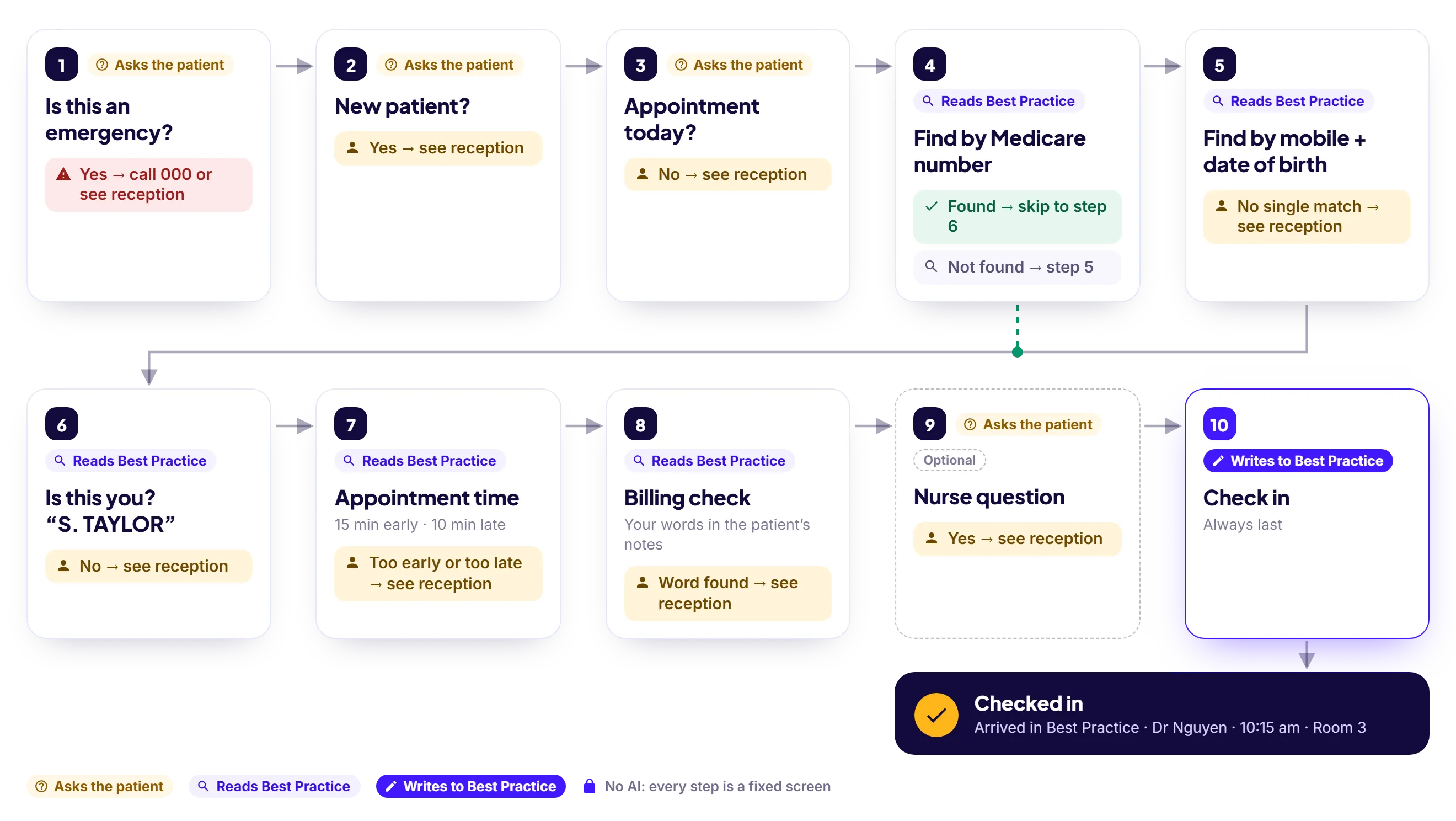
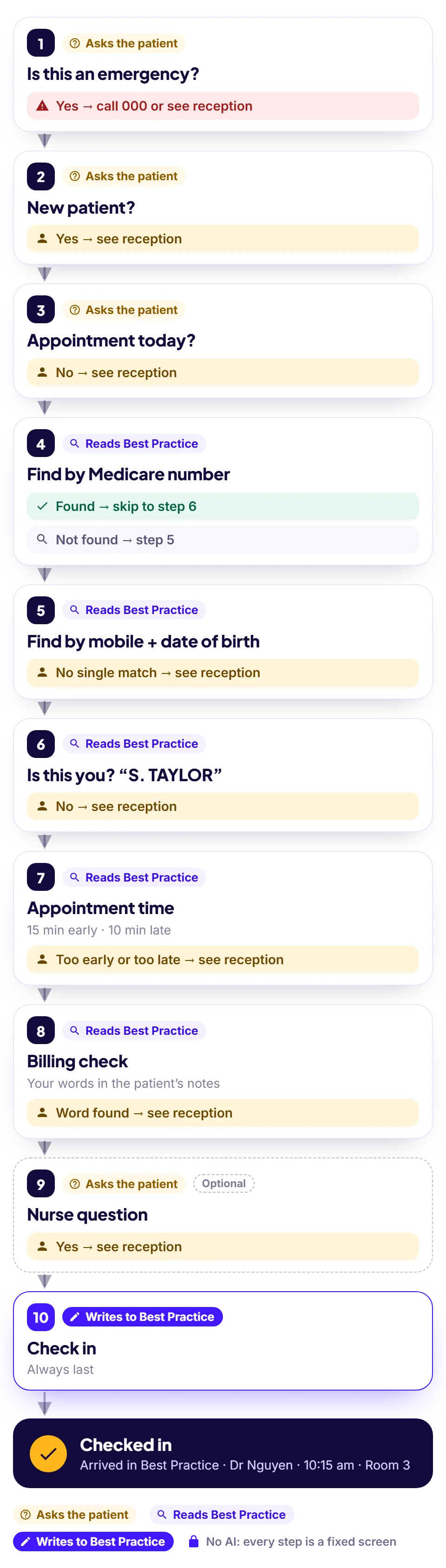
Check-in Flow
Your check-in, your steps
On the portal’s Check-in Flow page you switch steps on or off, move them up or down, reword them, and choose where each yes or no leads. Publish, and the next patient sees the change. Nobody has to touch the iPad.
- “New patient?” and “Appointment today?” questions, so new patients and walk-ins go straight to reception
- Find the patient by Medicare number, by mobile and date of birth, or by surname and date of birth. A mobile and date of birth only count when exactly one patient has both.
- An appointment window you set: how early and how late a patient can check in
- A billing check: add words like “outstanding”, and a patient whose notes in your clinic software contain them is asked to see reception first. The screen never shows the note.
- No AI anywhere: every step is a fixed screen, so check-in never waits on an AI service
Check-in Flow
Harbourview Medical · Published
No AI anywhere
- 1 Emergency question Yes → emergency message
- 2 New patient? Yes → see reception
- 3 Appointment today? No → carry on
- 4 Find by Medicare number
- 5 Find by mobile + date of birth
- 6 Confirm identity
- 7 Appointment time 15 min early · 10 min late
- 8 Billing check outstanding, owes
- 9 Check in Always last
What it does for your clinic
Shorter queues, no double entry
Writes into your clinic software
Arrivals go straight in — e.g. Best Practice through Halo Connect — so the doctor’s list updates itself. No double entry.
Safety first
A yes to “Is this an emergency?” stops check-in and tells the patient to call 000 or go straight to reception.
Discreet on screen
The kiosk shows an initial and surname, like “S. TAYLOR”, never a full first name.
Today’s room, on screen
Set today’s rooms on the portal’s Doctors & Rooms page, and the arrival screen shows the patient their doctor, time and room.
Every check-in on record
The Check-in activity page lists each check-in: when it started, the step it stopped at, and how it ended.
Multilingual
English and Chinese (Simplified and Traditional) on every screen, plus Farsi, Dari and Pashto on most, with large touch targets.
Runs on your own iPad
Use the iPad you already have, on a stand in the waiting room. A kiosk or any browser works too.
Simple 6-digit pairing
Open the check-in page, read the code into the portal, and it’s live. No installs, no per-device logins.
Where it runs
Your own iPad, a kiosk stand, or any browser
It’s the same check-in on every screen: open the check-in page, pair it with a code, and it’s live.
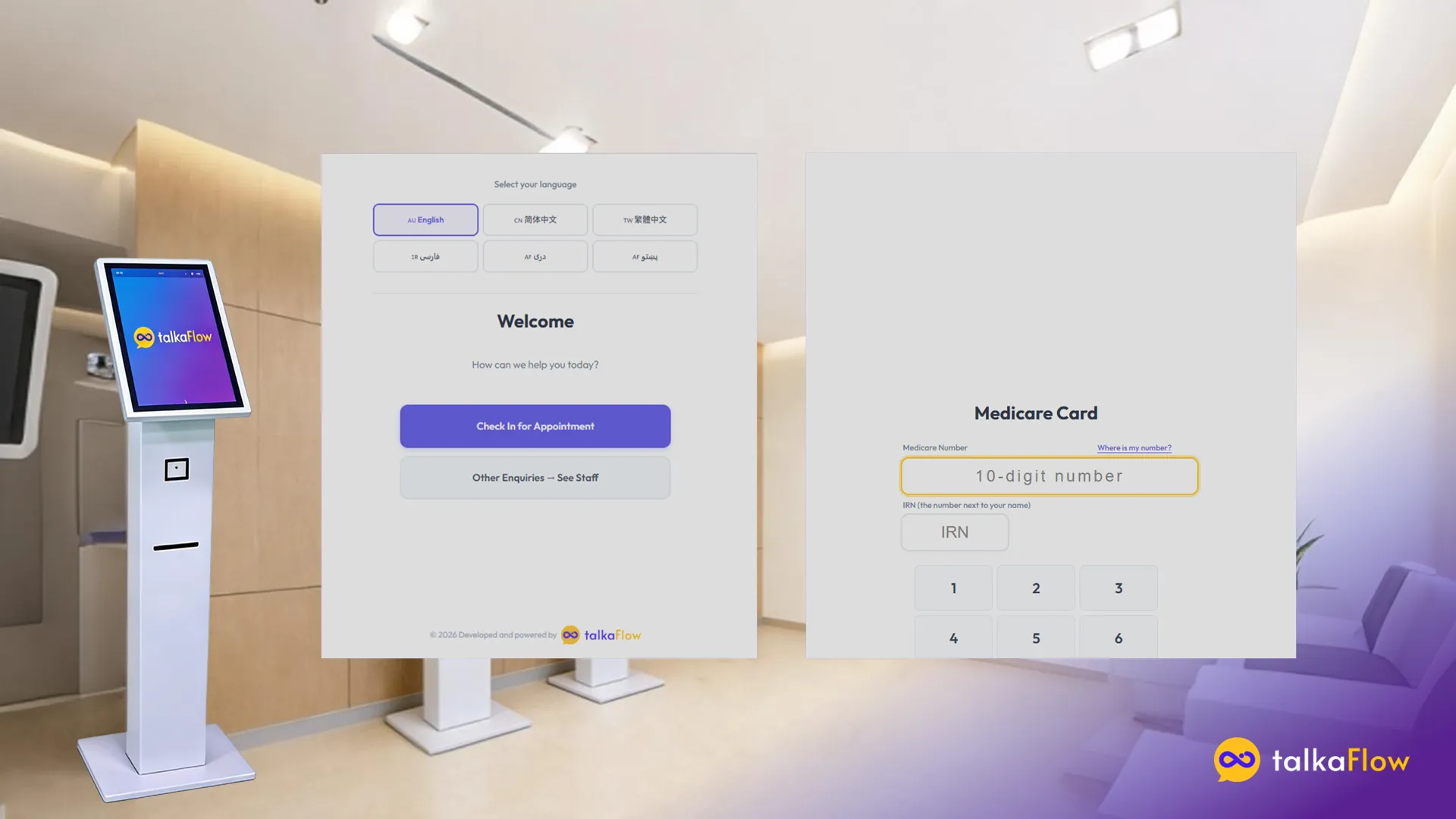
Your own iPad
Put the iPad you already have on a stand at the front desk or by the door.
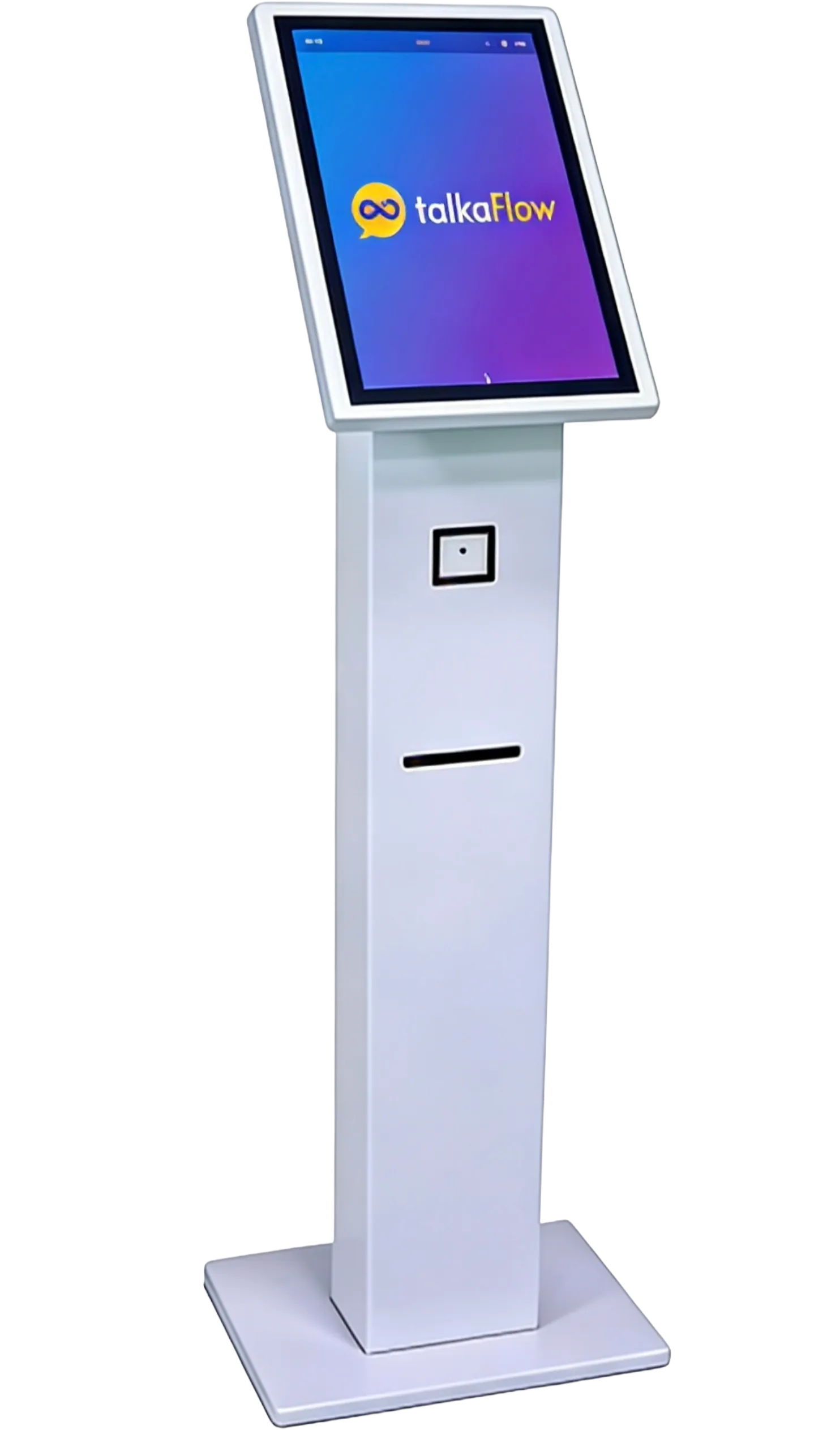
A kiosk stand
Prefer a free-standing kiosk in the waiting room? The same check-in runs on its screen.
Any browser
Any tablet or computer with a browser works: open checkin.talkaflow.com and pair it.
Set-up
Live in four steps
No installs, no logins to manage, and we set it up with you.
- 1
Open checkin.talkaflow.com on your iPad
- 2
Enter the pairing code in the portal
- 3
Choose your steps and publish
- 4
Connected — go live
Cut the queue at your front desk?
Tell us about your clinic and we’ll get talkaCheckIn set up and connected to your clinic software.